


TaskbarX is a Windows tool mainly known for centering taskbar icons and improving desktop appearance, but its benefits go beyond aesthetics. Many users install it not just for looks, but also because it can make daily computer use smoother and more efficient.
Productivity on a computer depends on how quickly and comfortably a user can access applications, switch between tasks, and stay focused. TaskbarX supports these goals by organizing the taskbar in a cleaner and more balanced way, which can indirectly improve workflow.
Faster Focus on Active Applications
One of the ways TaskbarX can improve productivity is by making active applications easier to focus on. When taskbar icons are centered, they are positioned closer to the middle of the screen where the user’s attention naturally stays.
This reduces visual distraction and helps users quickly identify and switch between open applications. Instead of scanning a long row of icons on the left side, users can interact with a more compact and centered layout.
Over time, this can make multitasking feel smoother and more intuitive, especially during work involving multiple programs.
Improved Task Switching Efficiency
Task switching is a major part of productivity, especially for users who work with documents, browsers, communication apps, and tools at the same time. TaskbarX helps improve this process by creating a more organized taskbar layout.
Because icons are centered and evenly spaced, it becomes easier to locate applications quickly. This reduces the time spent searching for specific programs on a crowded taskbar.
Even small time savings in switching between apps can add up during long work sessions, making the overall workflow more efficient.
Reduced Visual Clutter
A cluttered interface can reduce focus and slow down productivity. TaskbarX helps reduce visual clutter by creating a cleaner and more balanced taskbar appearance.
Centered icons naturally create empty space on both sides of the taskbar, which makes the interface feel less crowded. This minimal design helps users stay focused on their main tasks instead of being distracted by a busy interface.
A cleaner workspace often leads to better concentration, especially for users working on writing, coding, design, or research tasks.
Better Multitasking Experience
Modern productivity often involves multitasking across several applications. TaskbarX improves this experience by making the taskbar more visually organized and easier to navigate.
When multiple apps are open, a centered layout helps maintain structure and prevents the taskbar from feeling overloaded. Users can quickly identify active programs and switch between them without confusion.
This structured layout can be especially helpful for professionals who manage multiple tools at the same time, such as browsers, spreadsheets, and communication apps.
Smoother Workflow with Animations
TaskbarX also includes smooth animation effects that make task switching feel more fluid. While animations are a visual feature, they can indirectly improve productivity by creating a more intuitive user experience.
Smooth transitions help users understand where applications are moving and how the taskbar is changing. This reduces mental friction when switching between tasks.
When the interface feels natural and responsive, users can focus more on their work instead of the mechanics of the operating system.
Enhanced Desktop Organization
Productivity often depends on how well a desktop is organized. TaskbarX improves organization by keeping taskbar icons aligned and centered at all times.
This consistent layout helps users build muscle memory for application locations, making it faster to access frequently used tools. Over time, this can reduce the need to visually search for icons.
A more organized taskbar contributes to a more structured overall workflow, especially for users who rely heavily on pinned applications.
Multi-Monitor Productivity Benefits
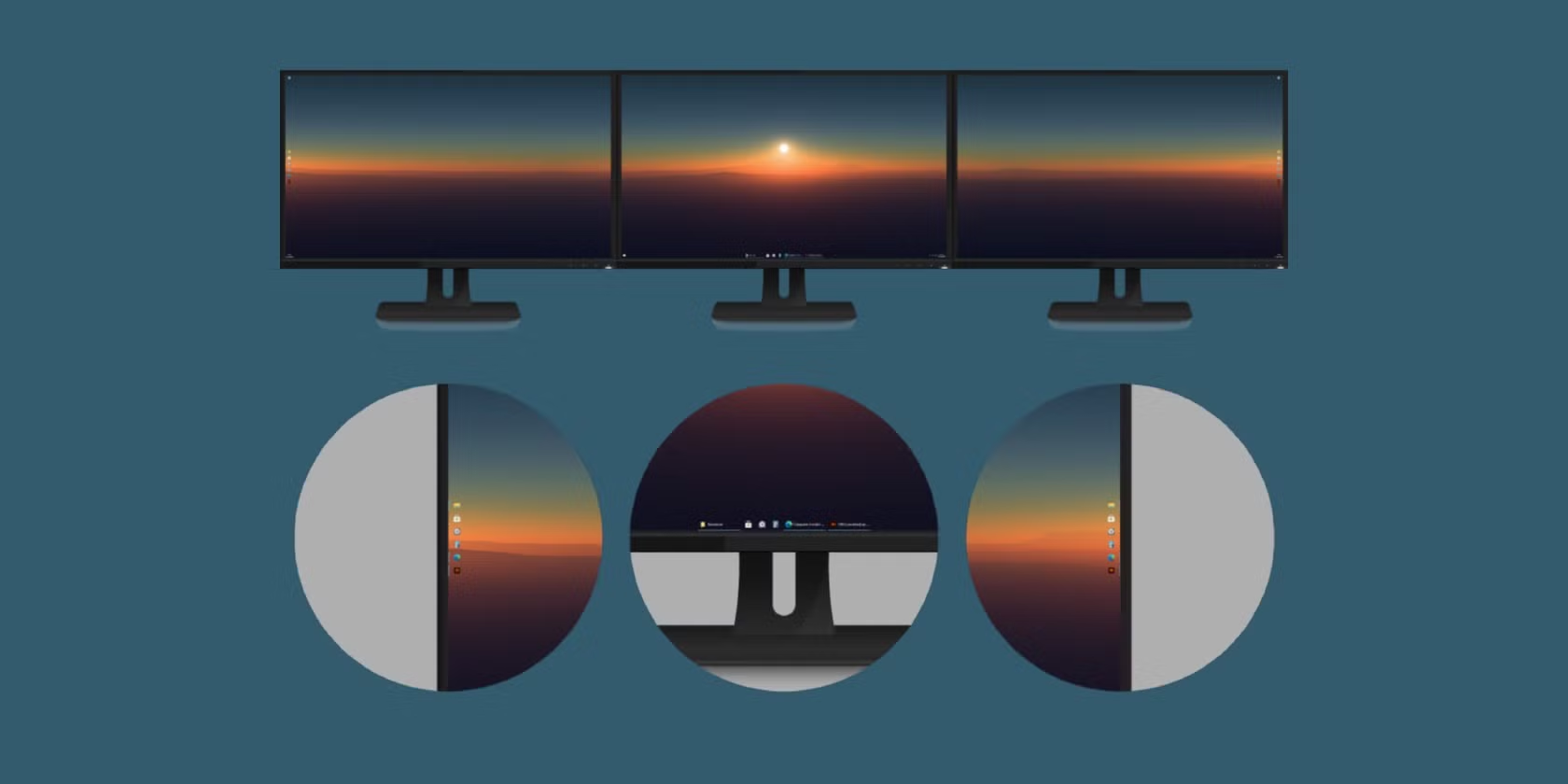
For users with multiple monitors, TaskbarX can improve productivity even further. It helps maintain a clean and consistent taskbar layout across all screens.
Centered icons on each monitor make it easier to manage applications across different displays. This is especially useful for professionals such as programmers, designers, video editors, and analysts who rely on multitasking across screens.
A consistent visual layout across monitors reduces confusion and improves workflow efficiency.
Reduced Cognitive Load
A simple and well-organized interface can reduce cognitive load, which means the brain spends less effort interpreting the layout of the system.
TaskbarX contributes to this by creating a cleaner and more predictable taskbar design. When users know exactly where everything is, they spend less mental energy navigating the system.
This allows more focus to be directed toward actual work tasks instead of interface navigation.
Better Focus Through Minimal Design
Minimal design is often linked to better productivity because it removes unnecessary distractions. TaskbarX supports this by simplifying the appearance of the Windows taskbar.
A centered and clean layout helps create a distraction-free workspace that feels more professional and calming. This environment can improve concentration during long work sessions.
Many users combine TaskbarX with minimal wallpapers and hidden desktop icons to further enhance focus.
Balanced Performance and Efficiency
Another productivity advantage of TaskbarX is that it improves the desktop experience without slowing down the system. Since it is lightweight, users can enjoy customization without sacrificing performance.
This balance ensures that productivity tools and work applications continue running smoothly while the interface remains visually improved.
A responsive system is essential for maintaining workflow efficiency, especially during demanding tasks.
Conclusion
TaskbarX can improve productivity by creating a cleaner, more organized, and more efficient desktop experience. It helps users switch between applications faster, reduces visual clutter, improves multitasking, and creates a more focused workspace.
Its centered taskbar layout, smooth animations, and minimal design contribute to better workflow efficiency without affecting system performance. For users who work with multiple applications or want a more structured desktop environment, TaskbarX provides a simple but effective productivity enhancement.